
The prayer times app for your iPhone: Amanah shows you the next prayer
The Amanah prayer times app shows you on your iPhone which prayer comes next. You see the times of the day at a glance, log your five prayers and keep track of your progress.
This page describes what Amanah can do around prayer times and how you use it. It does not answer religious questions, it is only about the app.

Prayer times at a glance
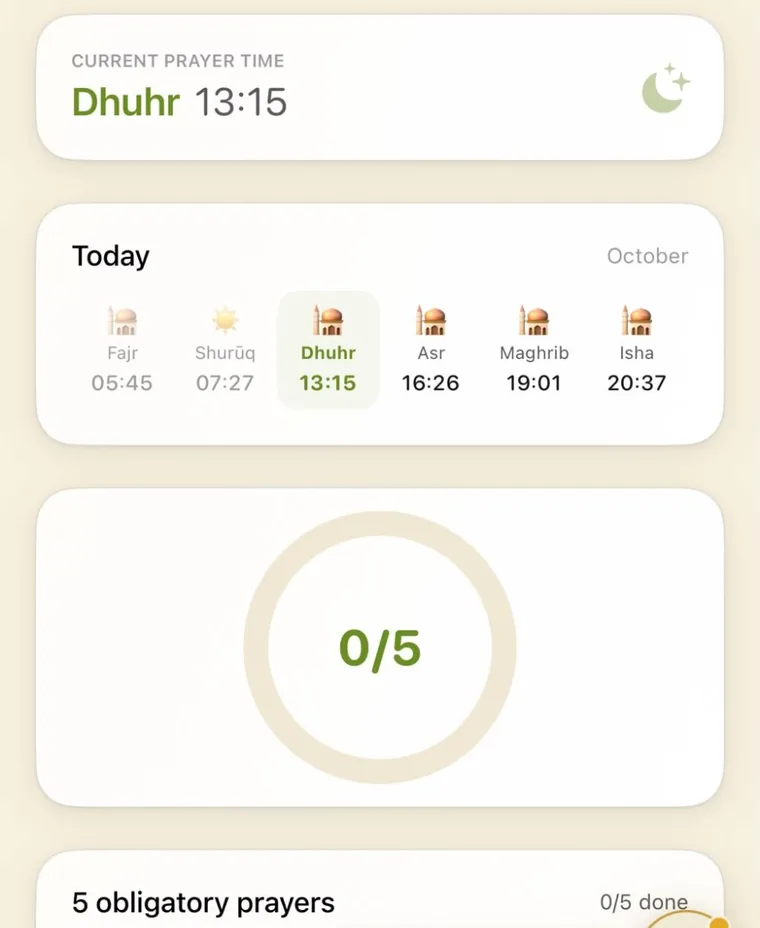
As an app for prayer times, Amanah puts the clock times first. Open the Deen section and tap the Prayer Tracker. At the top is a card with the current prayer time, for example “Dhuhr 13:15”.
Below it, the day strip shows Fajr, Dhuhr, Asr, Maghrib and Isha, each with its time, plus the sunrise (Shurūq). Above the cards is the place the times are for. The prayer that applies right now is highlighted.
- A “Current prayer time” card with the prayer that applies now
- A day strip with all the times of the day
- Tabs for “Today” and “Yesterday”
- Qibla (the direction of prayer), which the app also shows
The widget for your home screen
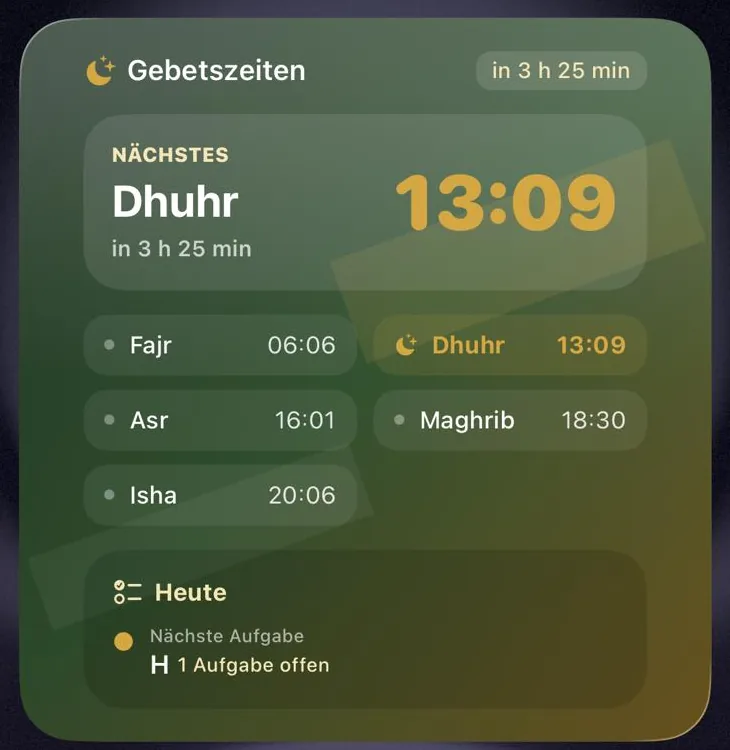
Amanah also comes as a widget. Without opening the app, you see which prayer is next and how much time is left, in the picture for example “in 3 h 25 min”.
Below that are all five prayer times of the day. In the “Today” section the widget also shows your next open task. You add it through the widget gallery, like any other widget on the iPhone.
There is more in the news item about the widget from 19 October 2026.
Log your prayers and see your daily progress
Under the day strip is the list of your five obligatory prayers, each with its time. You log what you have done. A ring shows how many of five you have reached today, for example “0/5” in the morning.
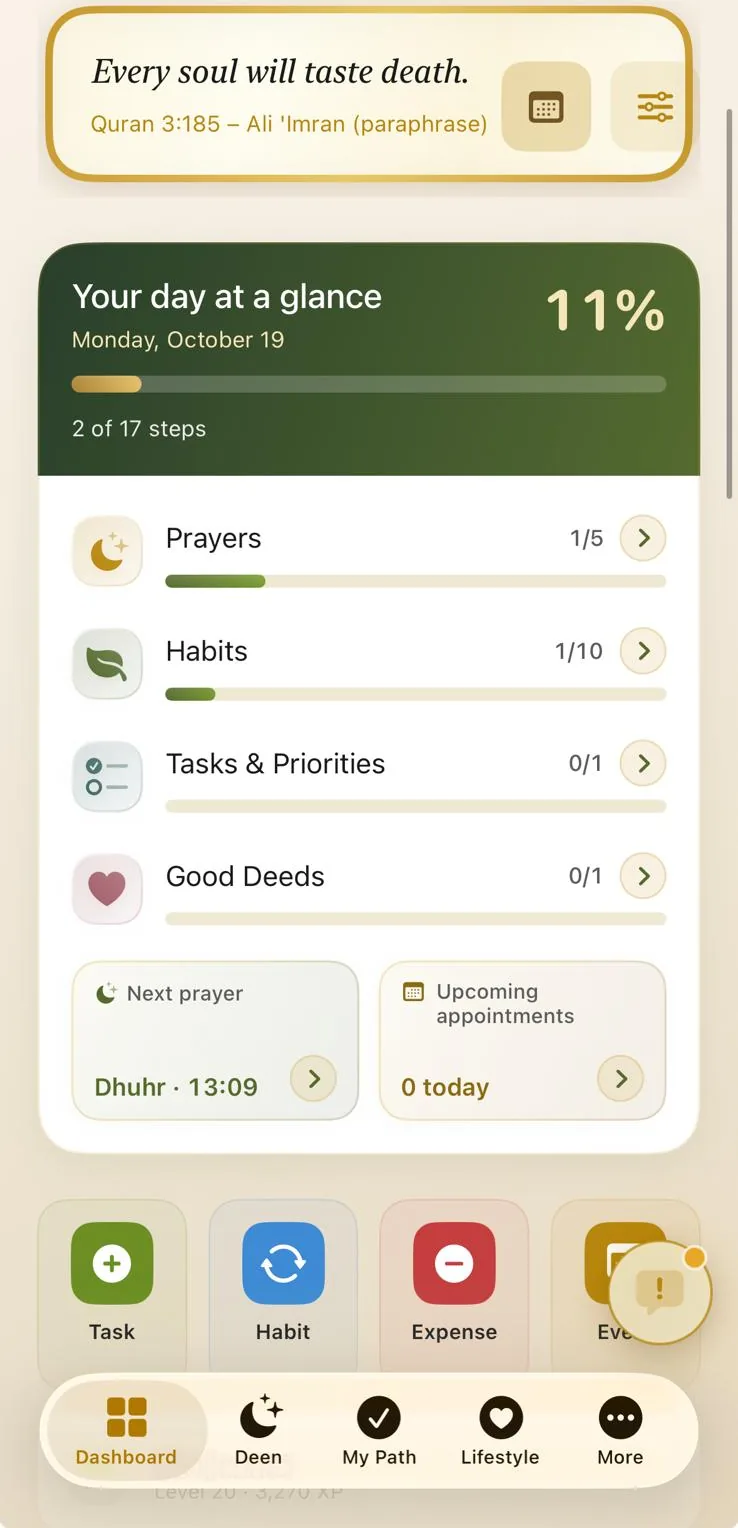
With “Today” and “Yesterday” you switch between the two days. On the dashboard, the “Your day at a glance” card sums up your progress in percent, split into prayers, habits, tasks and priorities, and good deeds.
That way you see in the evening how your day went, and you plan the next one with it.
How to use Amanah for your prayer times
- Download Amanah from the App Store to your iPhone, you do not need an account.
- Open the Deen section at the bottom of the app and tap the Prayer Tracker.
- Check which place is shown above the cards, and look at the times of the day.
- Add the widget through the widget gallery on your home screen.
- Log your prayers during the day and glance at the ring in the evening.
How you set up Amanah as a whole is shown in the guide with video in five steps. All other features are in the overview of the whole Amanah app.
Cost, ads and data
If you want to get a prayer times app free of charge, Amanah is on the App Store as a free download, with in-app purchases available. The Basic tier costs nothing and includes the dashboard and prayer tracker. Some features need a subscription or a one-off in-app purchase, and the tiers and prices at a glance are on the app page.
Amanah shows no ads. Denis Rastoder does not collect any data from Amanah, as the app’s privacy label also confirms. There is more in the privacy policy of the Amanah app.
Amanah is available for iPhone. The app comes in German, English and Bosnian and has an age rating of 4+.
Questions about the prayer times app
Does Amanah show prayer times without the app open?
Yes, with the “Prayer times” widget on your home screen. It names the next prayer with a countdown and lists the five times of the day.
Do I need an account for the prayer times?
No. You need no account and no sign-in for Amanah.
Is the prayer times app available for Android?
No. Amanah is currently only on the App Store for iPhone.
Get Amanah on your iPhone
Prayers, Qur’an, habits, goals and finances in one place. No ads.
Free to download, in-app purchases available

For iPhone
Amanah is currently available for iPhone. Know someone with an iPhone? Share the link.

4.97 out of 5 · 38 ratings on the App Store
App Store CH, DE, AT, as of 5 November 2026
For the children in your family: see AmanahKids